Lessence De La Vie · Case study

A Tampa medspa website, from treatment to consultation.

The Lessence De La Vie logo in clear 3D
Project overview
A website for Lessence De La Vie, a beauty and wellness medspa in Tampa: its treatments up front, a page for each one, a shop, and a form to book a free consultation.
Services
  • Treatments first
  • A page per treatment
  • The free consultation
  • Every screen size
Date
March 2025
Client
Lessence De La Vie
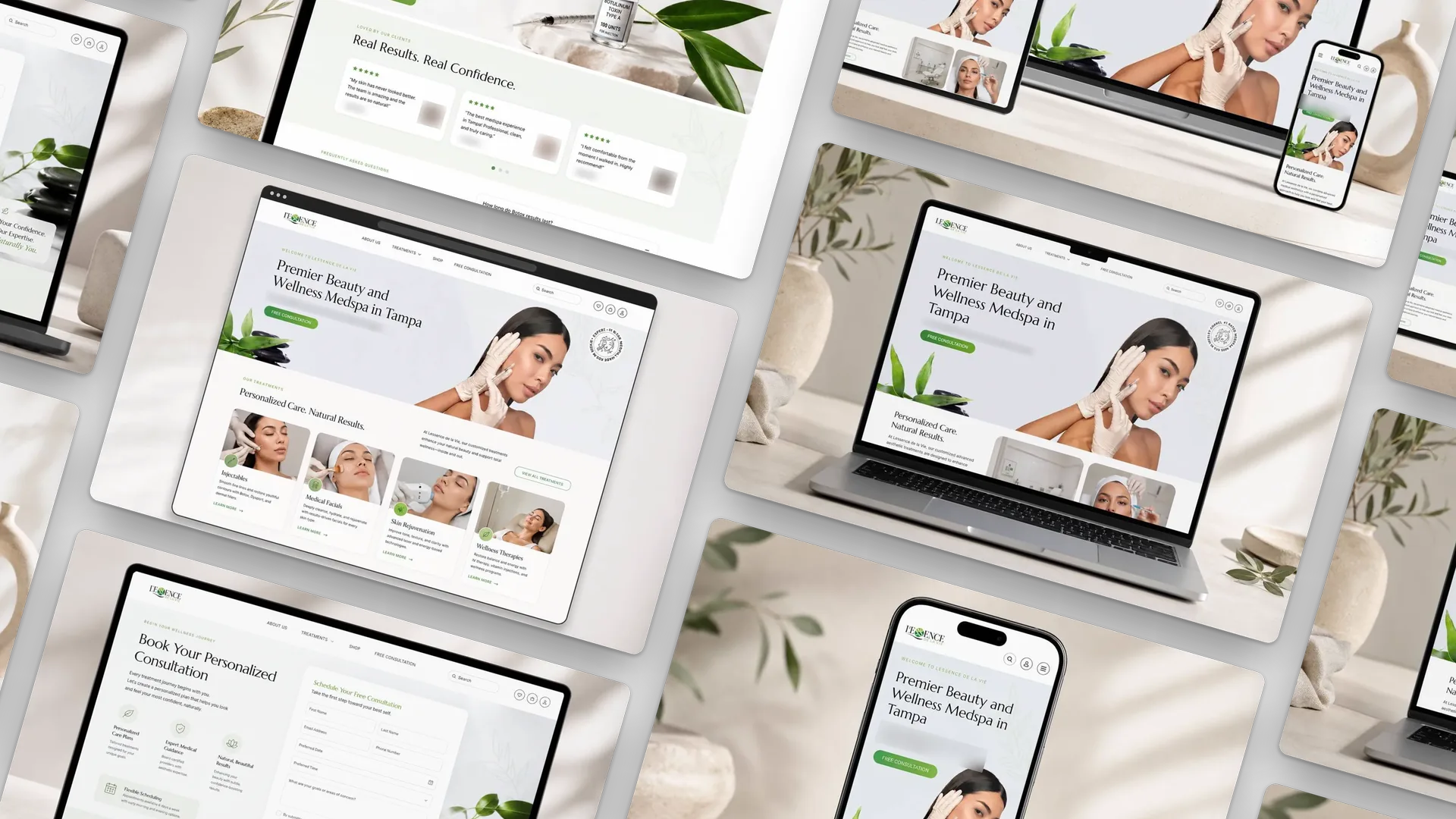
The Lessence De La Vie homepage in a browser window: the headline, the free consultation button and the four treatment groups; the new-patient price under the headline is blurred

On the site

  • Treatments menu
  • Injectables
  • Medical facials
  • Skin rejuvenation
  • Wellness therapies
  • Shop
  • Free consultation
  • Search

Services

  • #Web Design
  • #UI/UX
  • #Responsive Design
  • #Treatment Pages
  • #Consultation Booking
Sections of the Lessence De La Vie website laid out at an angle

Project story

The details behind the work.

Positioning, issues solved, scope, outcome, and the decisions behind the project.

  • Positioning

    Lessence De La Vie is a beauty and wellness medspa in Tampa, and the homepage says so in its first line: Premier Beauty and Wellness Medspa in Tampa.

    Right under it, the four treatment groups sit side by side, so a visitor sees the full range before scrolling far.
  • Issues I solved

    • Four treatment groups had to read at a glance: injectables, medical facials, skin rejuvenation and wellness therapies.
    • Each treatment needed its own page with what it does, its benefits, client reviews and common questions.
    • Booking a free consultation had to be one clear step from anywhere on the site.
    • The same pages had to work on a laptop, a tablet and a phone.
  • Scope

    The medspa’s website: the homepage, the treatment pages, a shop in the menu and the free consultation page.

    • Website design
    • Treatment pages
    • Consultation booking form
    • Responsive layouts
  • Outcome

    The site leads with the treatments and ends every path at a free consultation.

    Client reviews and answers to common questions sit on the treatment pages, so a visitor has what they need before they book.

  • Project takeaway

    A medspa site that puts the treatments first, gives each one a page that answers the usual questions, and keeps the free consultation in the menu on every screen size.

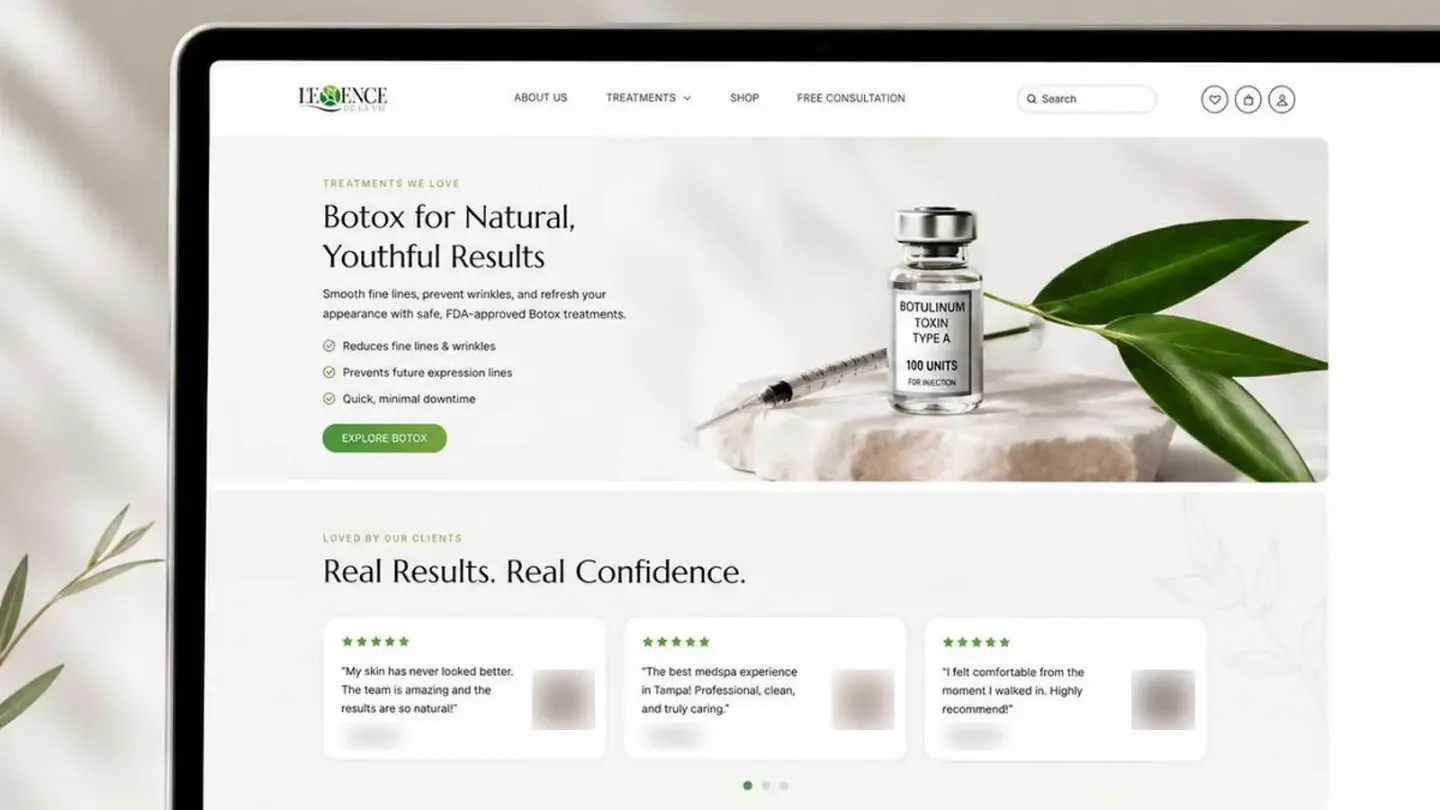
  • The Botox page up close, with the reviewers' names and photos blurred

Visual system

Palette and type cues.

A concise record of the visual direction behind the project.

Color palette

  • #1C2E21
  • #5F8F55
  • #B7C8AE
  • #70665D
  • #F4F2ED

Typography

Light serif headings + spaced capitals

Headings are set in a light serif, section labels in small spaced capitals in the brand green, and the body copy in a plain sans.

Soft greens, white space and calm spa photography keep the pages quiet, so the green consultation buttons stand out.

How the project moved.

Four steps, and what each one had to settle.

  1. Discover

    Treatments first

    I organized the site around what the medspa offers: injectables, medical facials, skin rejuvenation and wellness therapies, each with a short line and a link to learn more.

    • Treatments
    • Menu
    • Structure
  2. Structure

    A page per treatment

    The Botox page shows the pattern: what it does and three quick benefits, then client reviews, then answers to the questions people ask before booking.

    • Benefits
    • Reviews
    • Questions
  3. Design

    The free consultation

    Every page points to one next step. The consultation page asks for a name, contact details, a preferred date and time, and what the visitor would like to work on.

    • Booking form
    • One next step
    • Trust
  4. Review

    Every screen size

    I checked the layouts on a laptop, a tablet and a phone, so the treatments, the menu and the booking form read the same everywhere.

    • Desktop
    • Tablet
    • Mobile