DaeSoft Technology Solutions · Case study
A sharper IT services presence for business buyers.
A B2B technology website direction for IT services, built around clearer service architecture, credibility, and faster contact decisions.
What the website had to do.
IT buyers need to know whether a provider understands their operating problems before they schedule a call.
LER Web Services shaped DaeSoft around service clarity, proof-ready content areas, and a direct contact experience.
- 5Core pages, one hierarchy
- 4Workstreams in scope
- 1Primary path to contact
- 2019Launched

What had to change.
Technical services needed to be easier to scan and compare.
The visual direction had to feel current without becoming generic tech stock imagery.
Contact and consultation moments needed stronger hierarchy.
The structure needed room for testimonials, service pages, and case proof later.


Screens
Every page, one system.
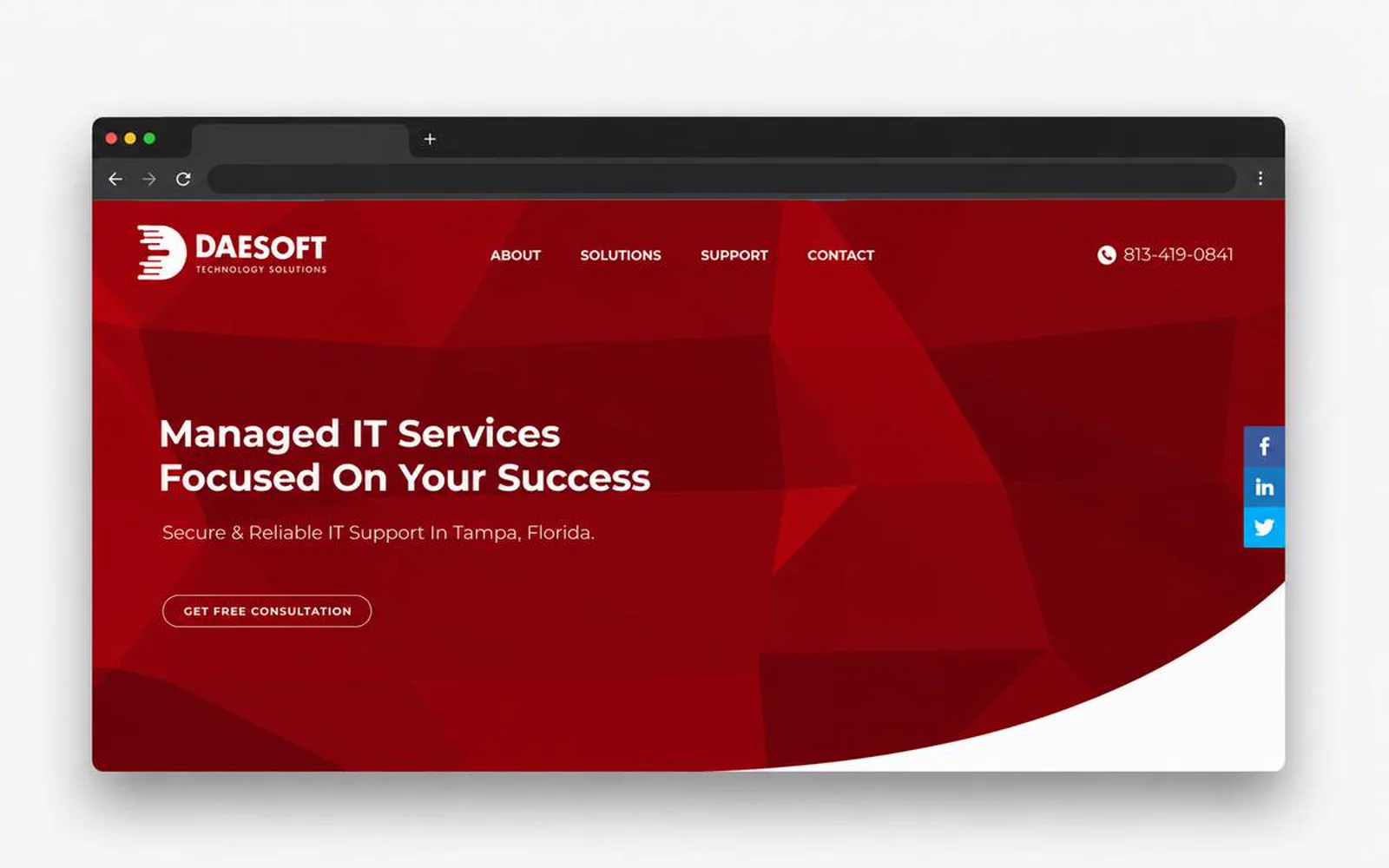
Home, solutions, about, security, and contact share one hierarchy, so a visitor moves from the offer to the next step in a few scrolls.


The same clarity on a phone.
Most visitors arrive on a phone: the offer, the proof, and the contact action keep the same order on mobile.


Visual system.
The site's own palette over the LER paper, Montserrat for headings, and real screens of the live site instead of stock scenes.
Type · Montserrat
- #160708
- #D71920
- #A10F1A
- #4B2C31
- #F8EDEE
Outcome.
The project now supports a more confident path from capability review to consultation.
DaeSoft Technology Solutions is presented with stronger hierarchy, clearer trust cues, and a more direct path for visitors to understand the next step.
How this one came together.
The four steps behind this build, and what each one had to settle.
Discovery
I clarified the audience, offer, and practical questions the website needed to answer.
Page structure
I organized the page flow around service clarity, proof, and the next action a qualified visitor should take.
Responsive design direction
I shaped the visual system and core screens so the experience could stay polished across devices.
QA and refinement
I reviewed the experience for visual consistency, responsive behavior, and clear paths to contact or purchase.