Make Creati · Case study
A PDF workspace rebuilt around one job at a time.

- Project overview
- A custom platform for Make Creati: seventeen browser-based PDF tools, each with its own page and its own plain promise, rebuilt from a WordPress site into a Next.js application with the price shown before anyone pays.
- Services
- Positioning and scope
- Platform rebuild
- Page per tool
- Launch and hosting
- Date
- August 2026
- Client
- Make Creati
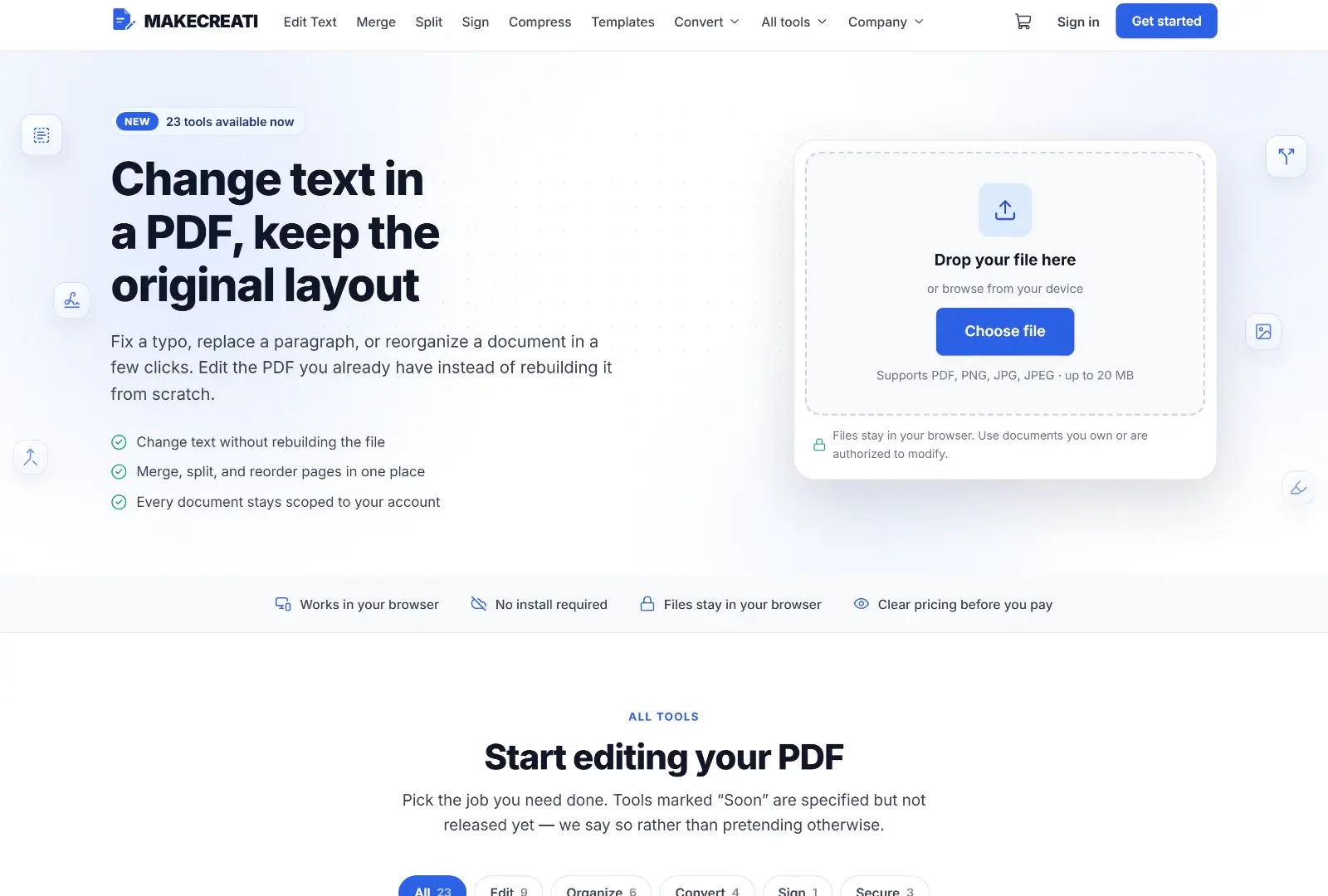
Give every job its own front door.
Someone looking for a PDF tool is not shopping for software. They have one document and one thing they need to do to it, and they want to know within seconds whether this page can do that thing. A single catch-all editor buries that answer.
So every tool got its own page, its own sentence describing exactly what it does, and its own place in a catalogue a visitor can scan. Change text, merge, split, sign, compress, protect: each one reads as a job, not a feature.
- 17Tools live at launch
- 3Steps from upload to download
- 1Platform, rebuilt from WordPress
- 2026Launched
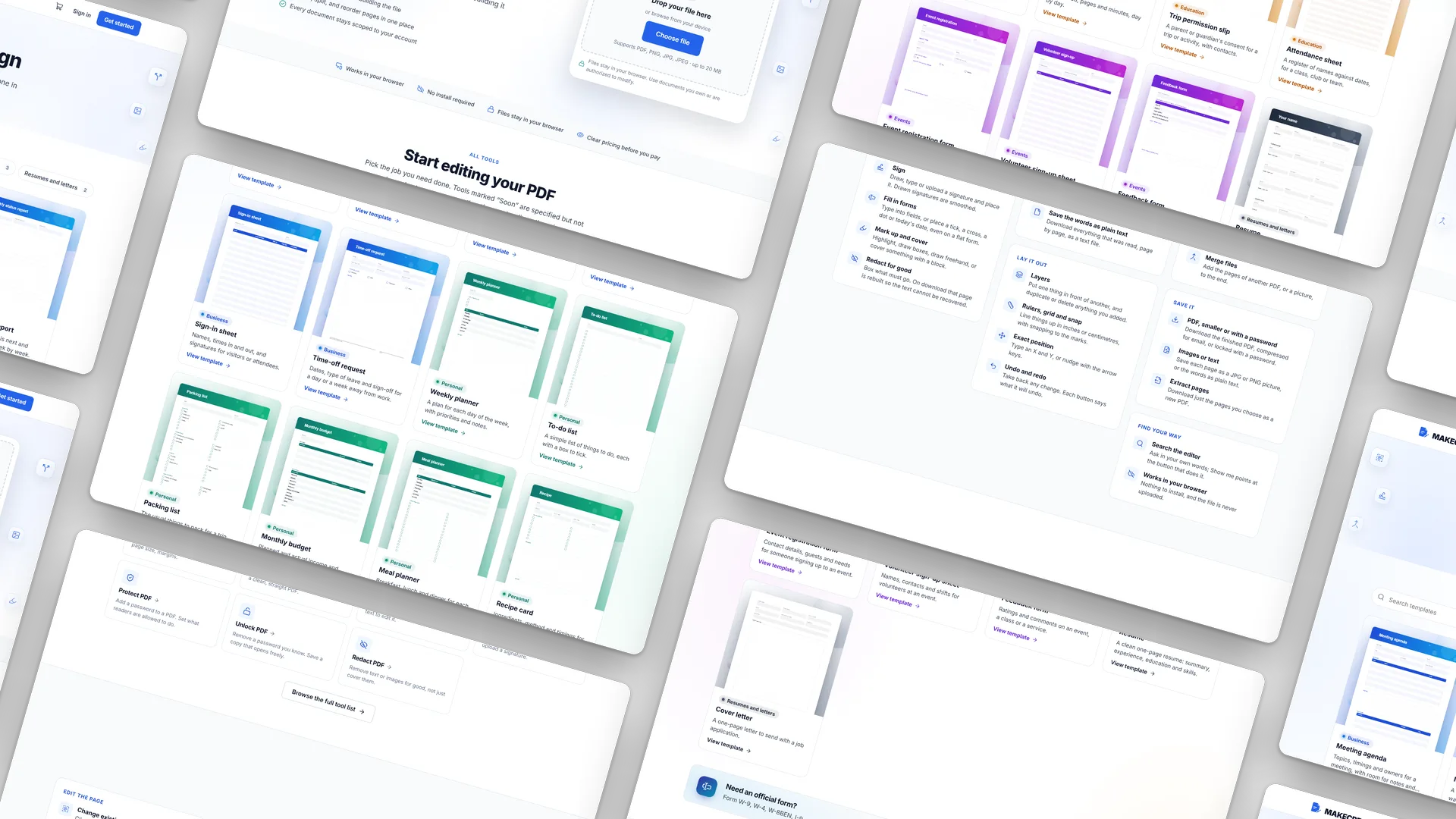
What had to change.
The original WordPress site could not carry a real editing workspace, so the platform was rebuilt in Next.js.
The offer needed repositioning around a clear, defensible set of document tools.
Every tool needed its own page and its own plain-language promise instead of one generic editor.
Pricing had to be legible before a visitor uploaded anything.
Screens
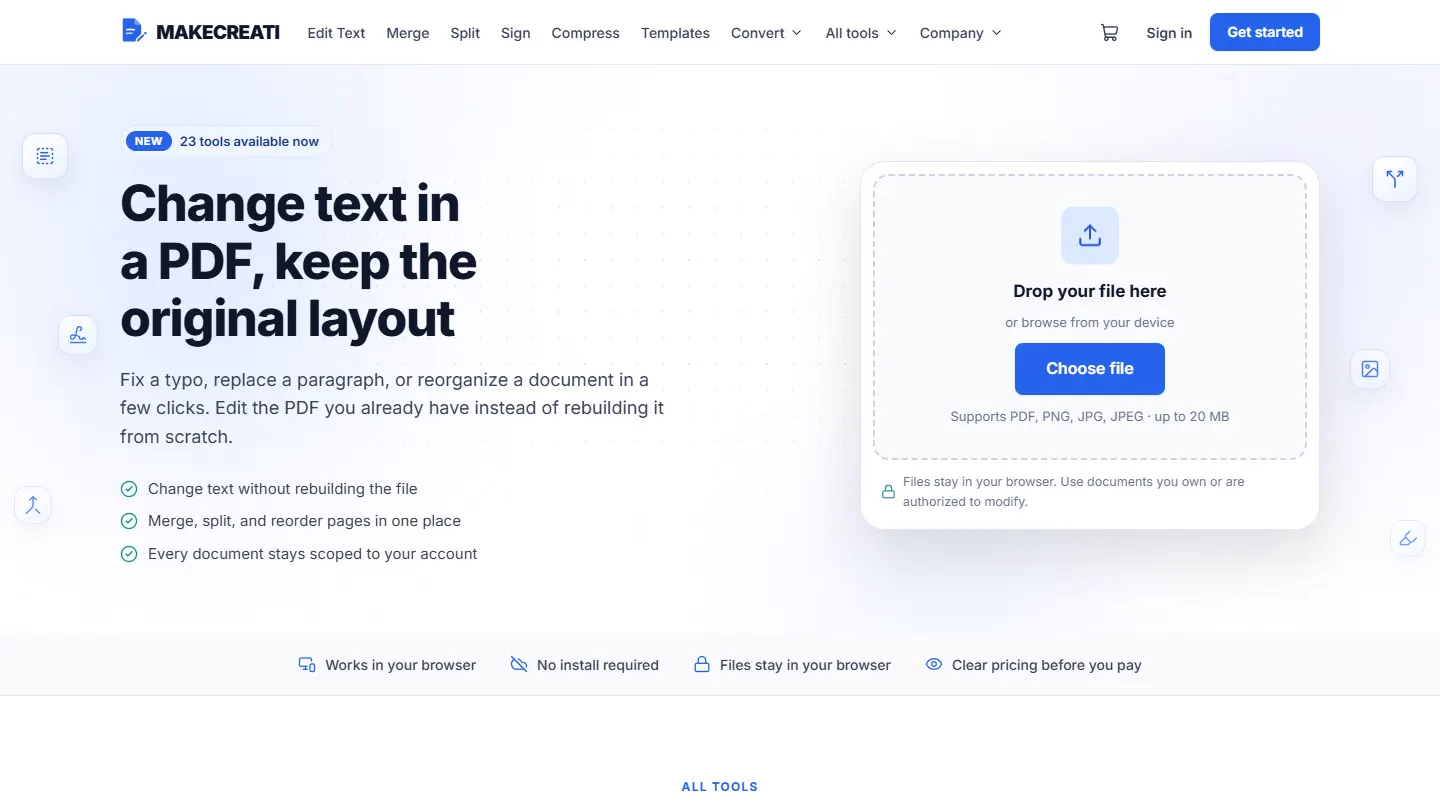
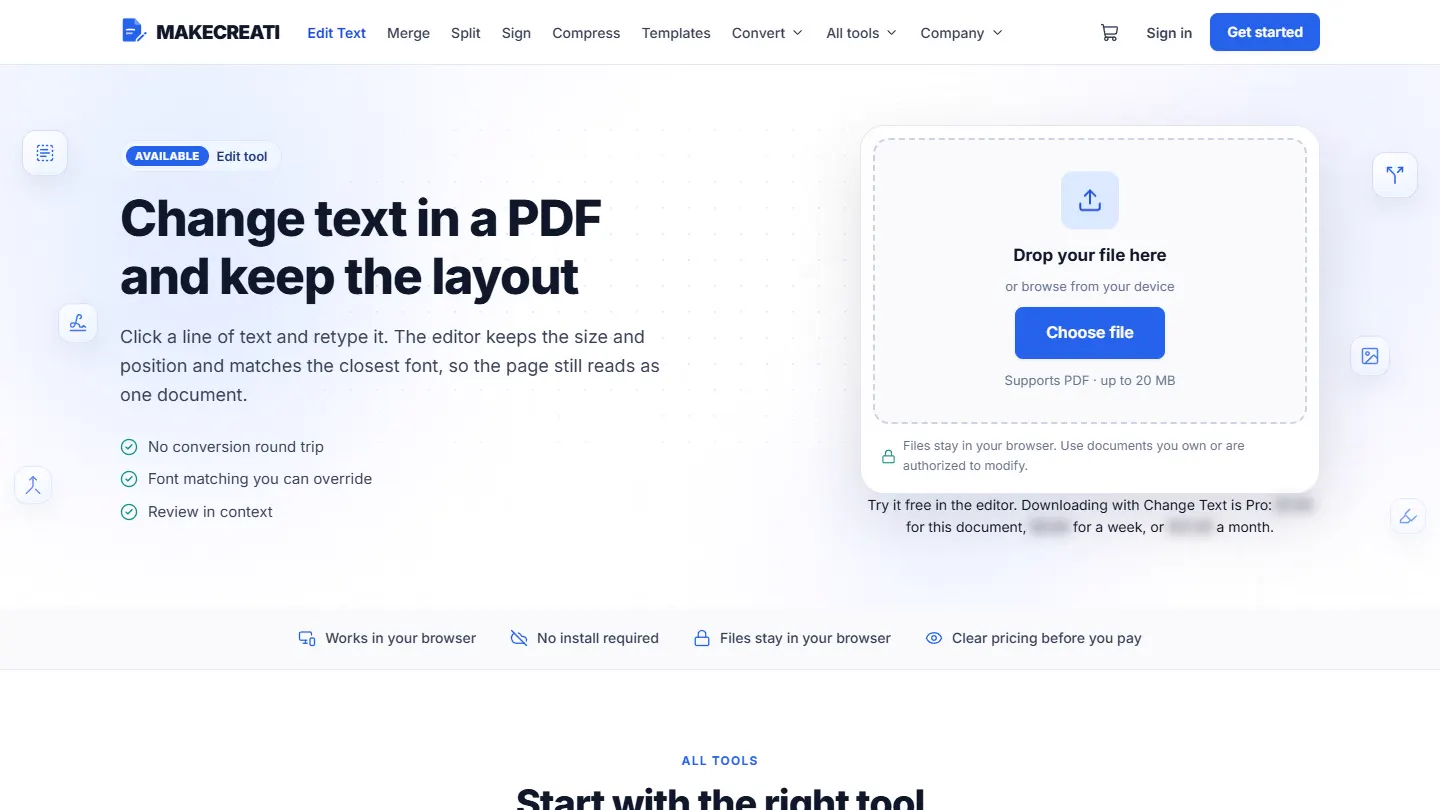
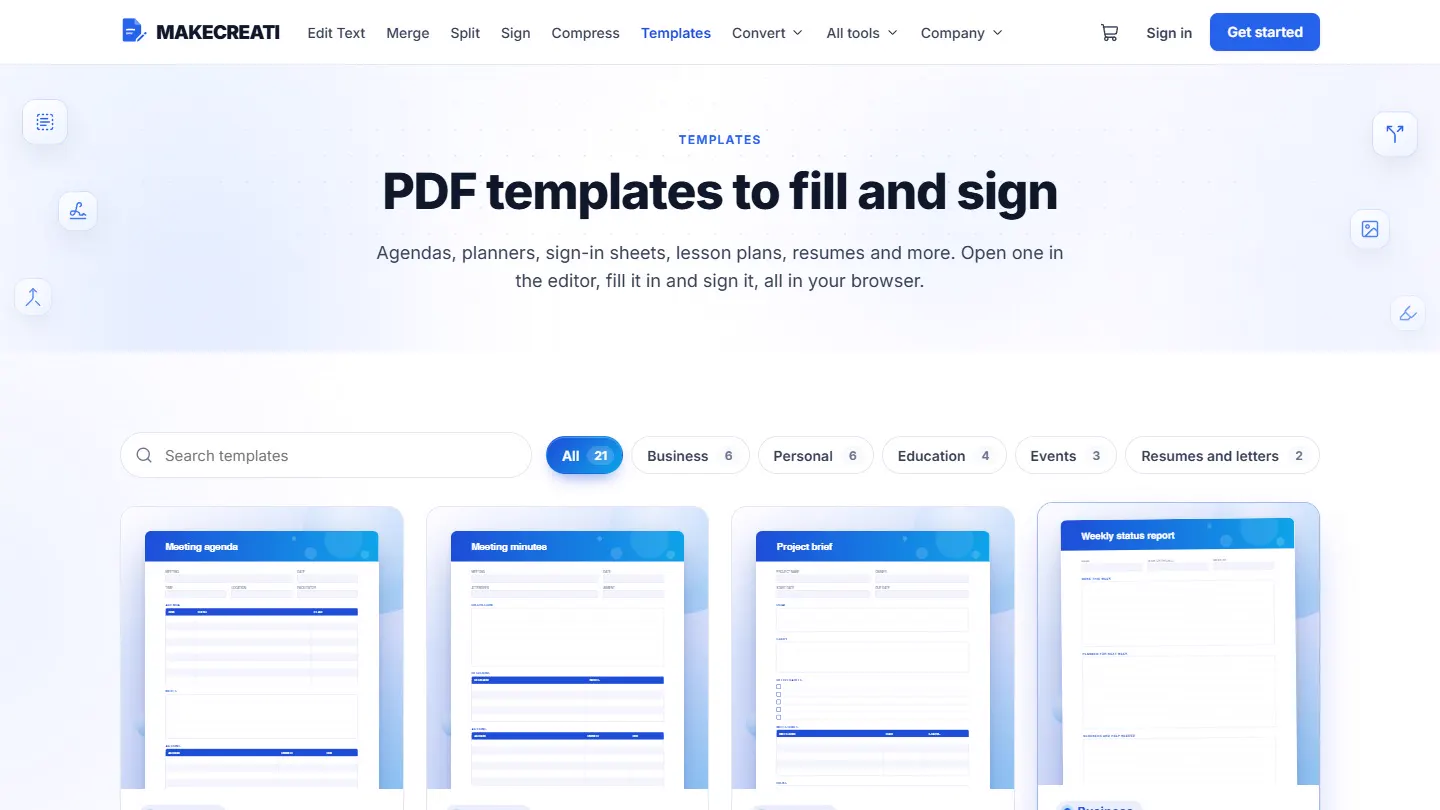
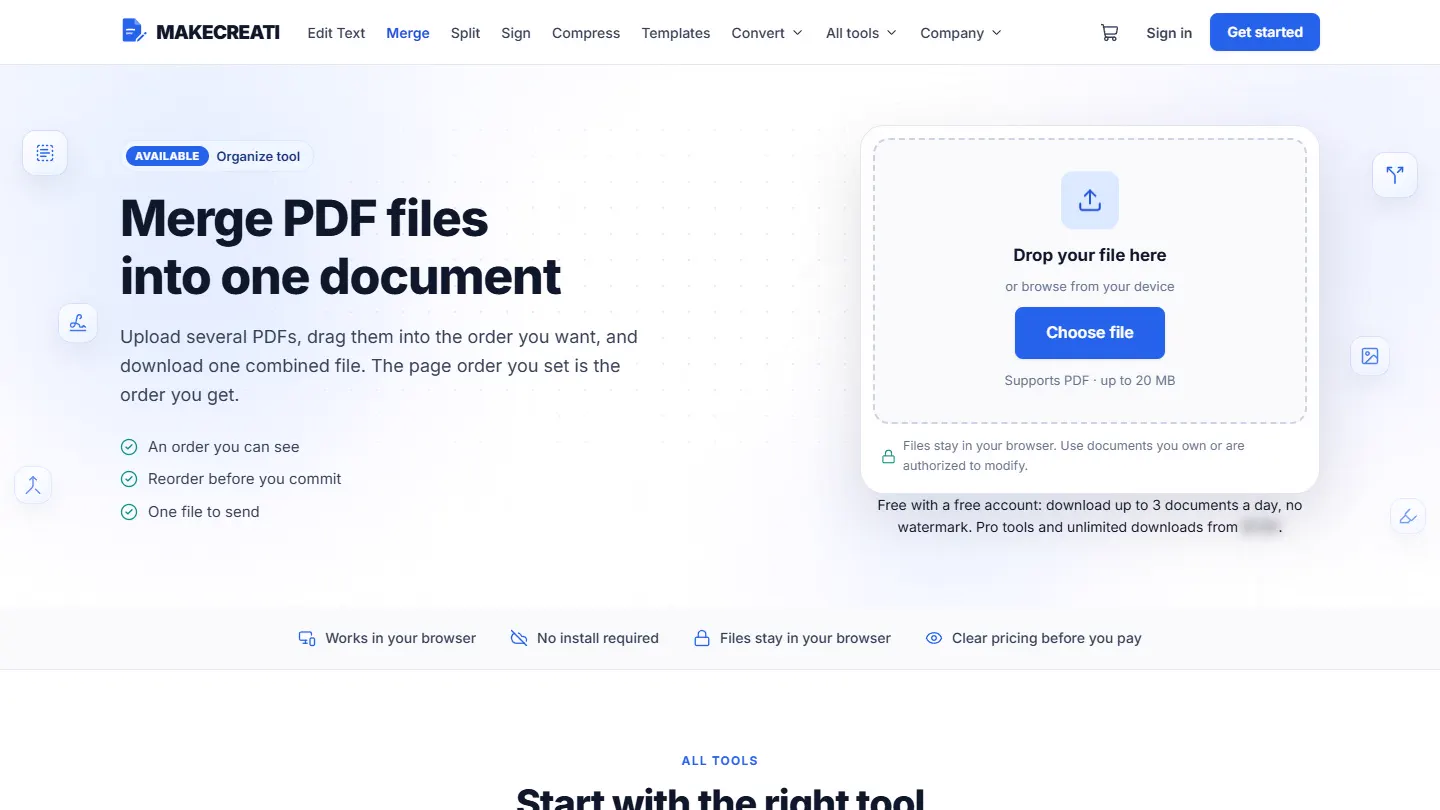
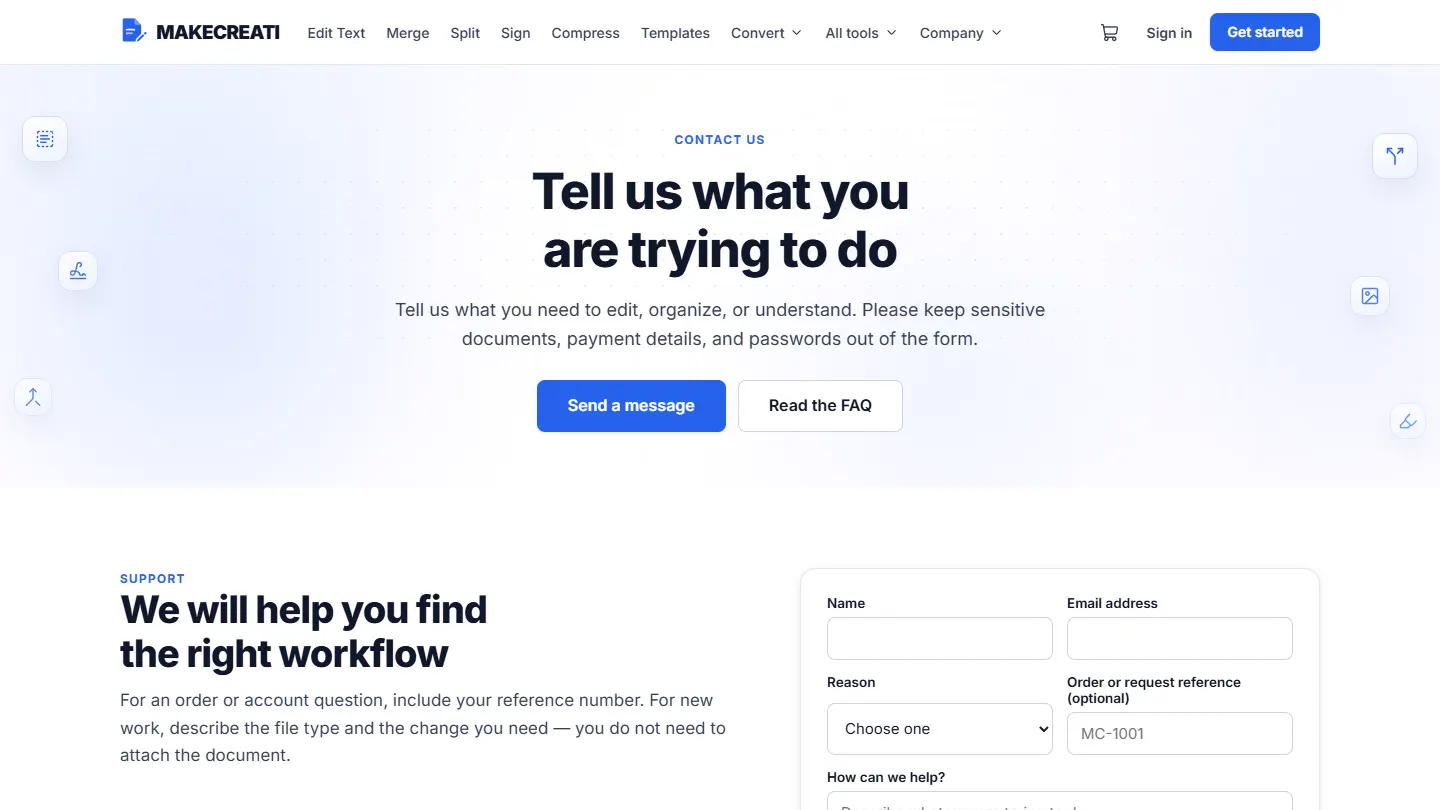
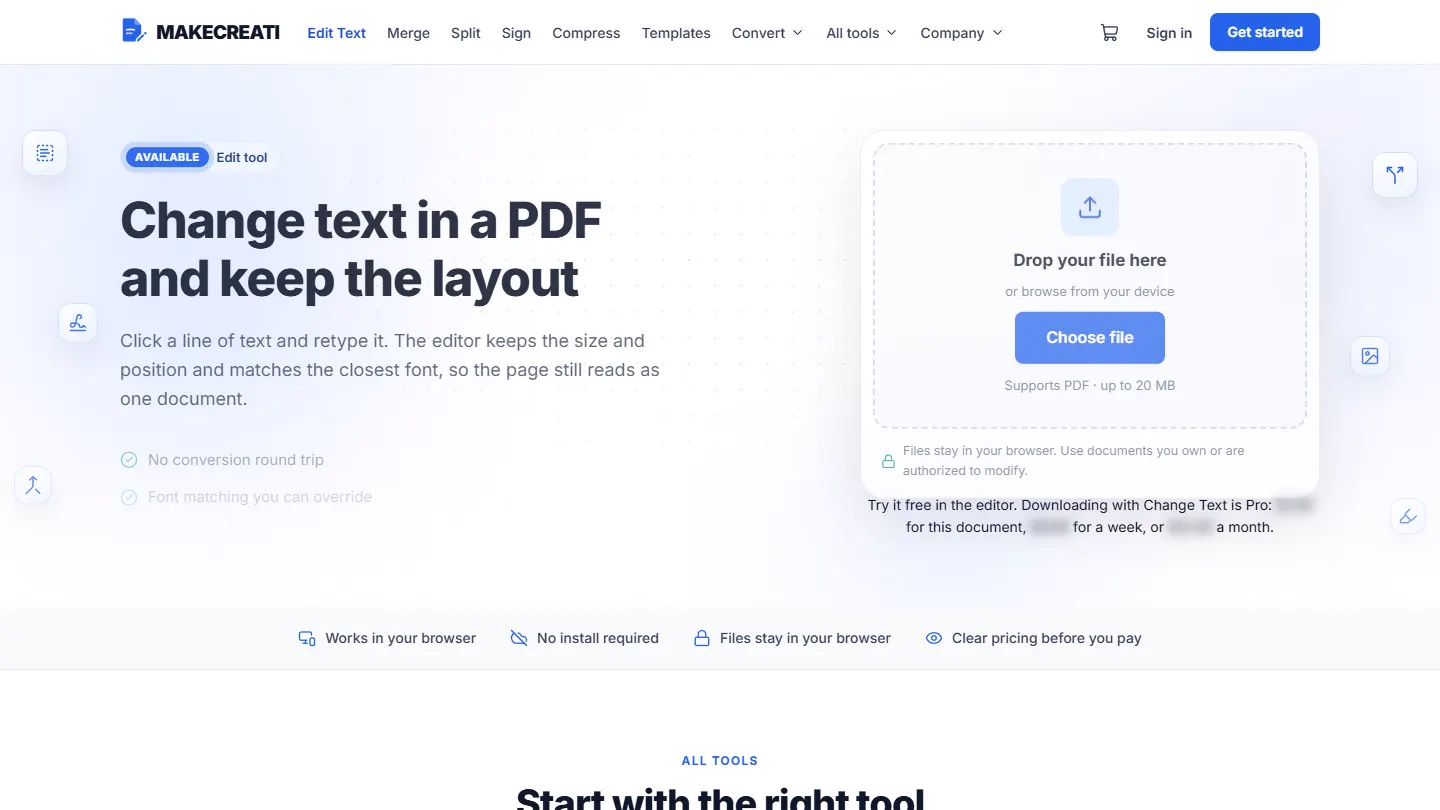
Seventeen tools, one workspace.
The homepage, the catalogue, a single tool page, and pricing share one hierarchy, so a visitor moves from a document on their desk to a finished file without changing mental models.
How it works
One document, three steps.
Drop in a PDF and it opens in the editor, right in the browser; the file stays on the device. Click any line to retype it in a matching font, sign it, and see the price before paying to download. Recorded with a sample flyer.
1. Drop in a PDF. It opens in the editor, in the browser. 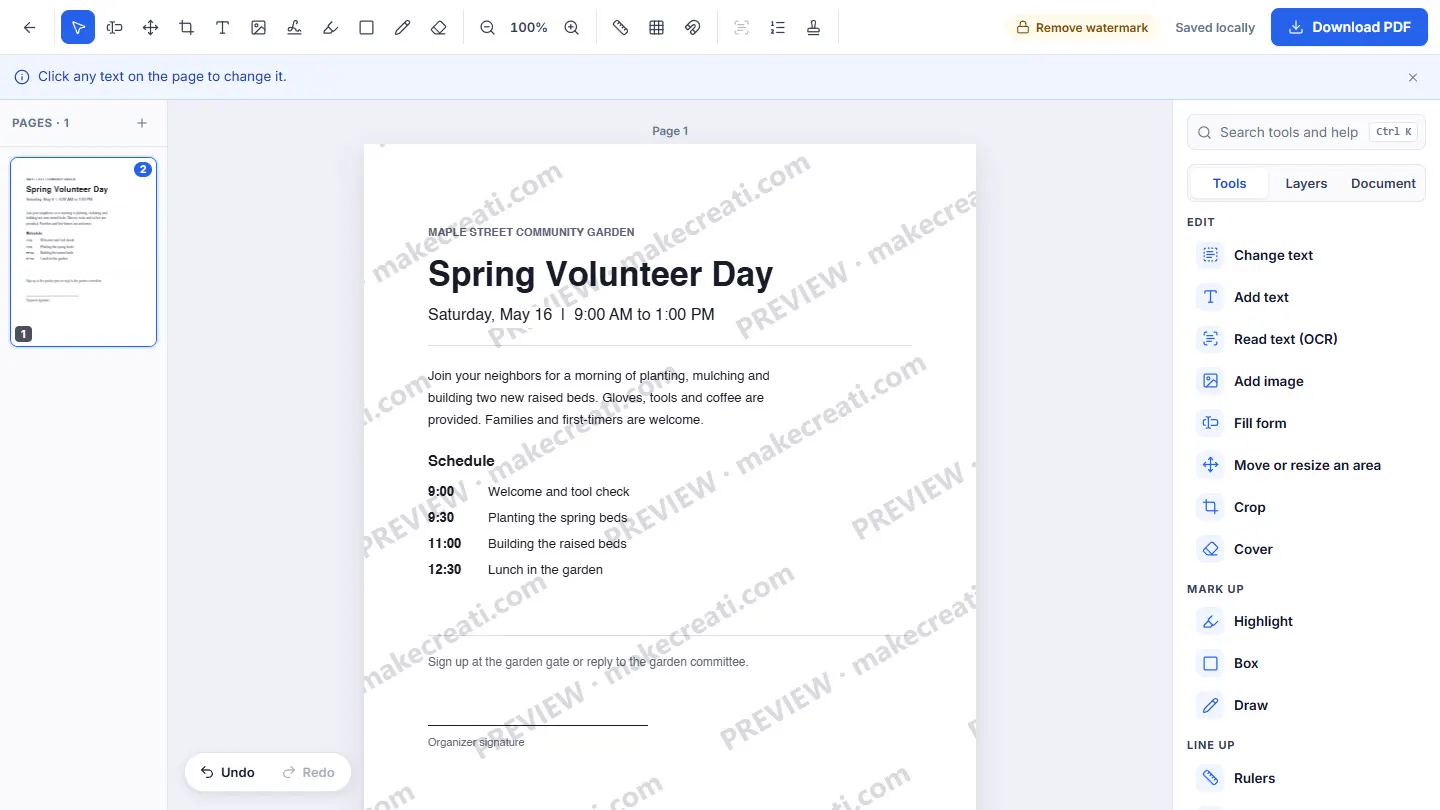
2. Click a line and retype it. Its size, position and font stay. 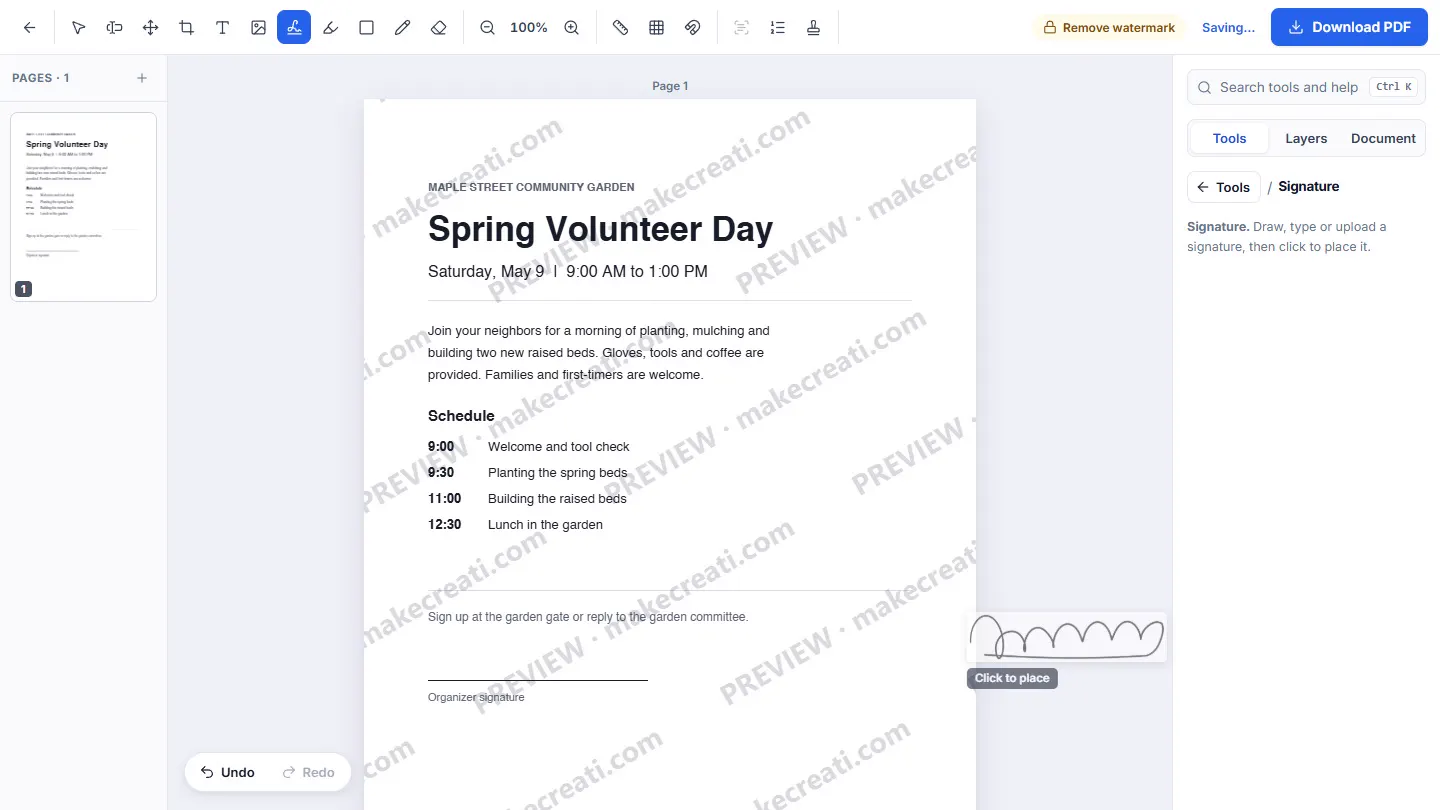
3. Draw a signature, place it, and download. The price shows before checkout.
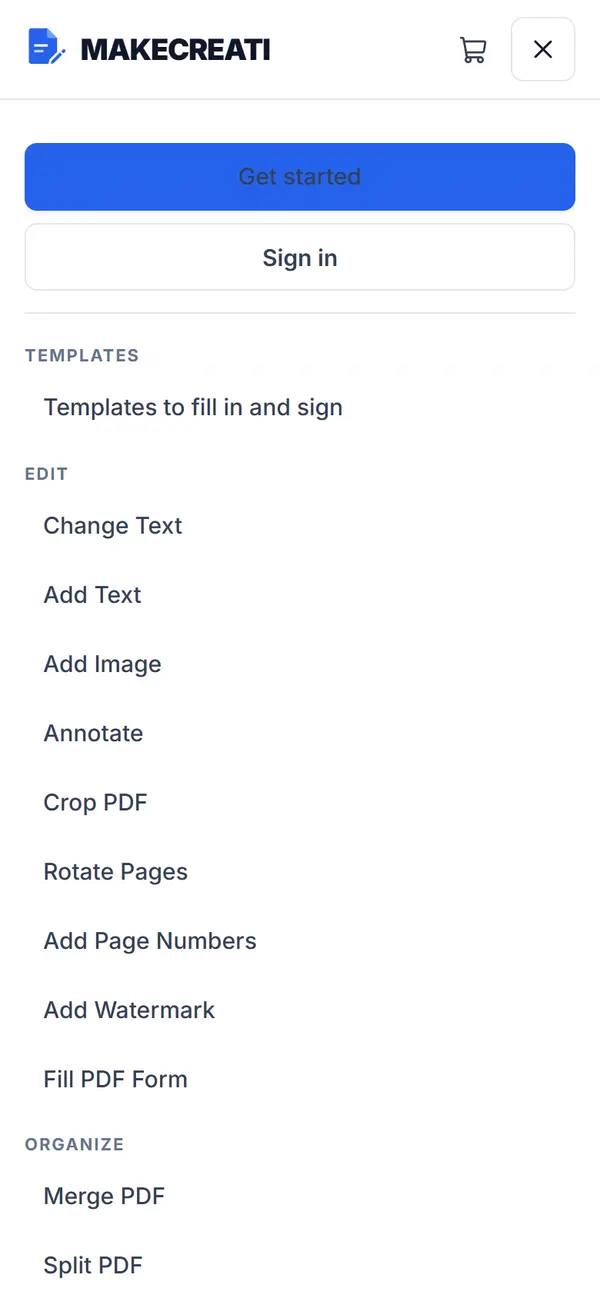
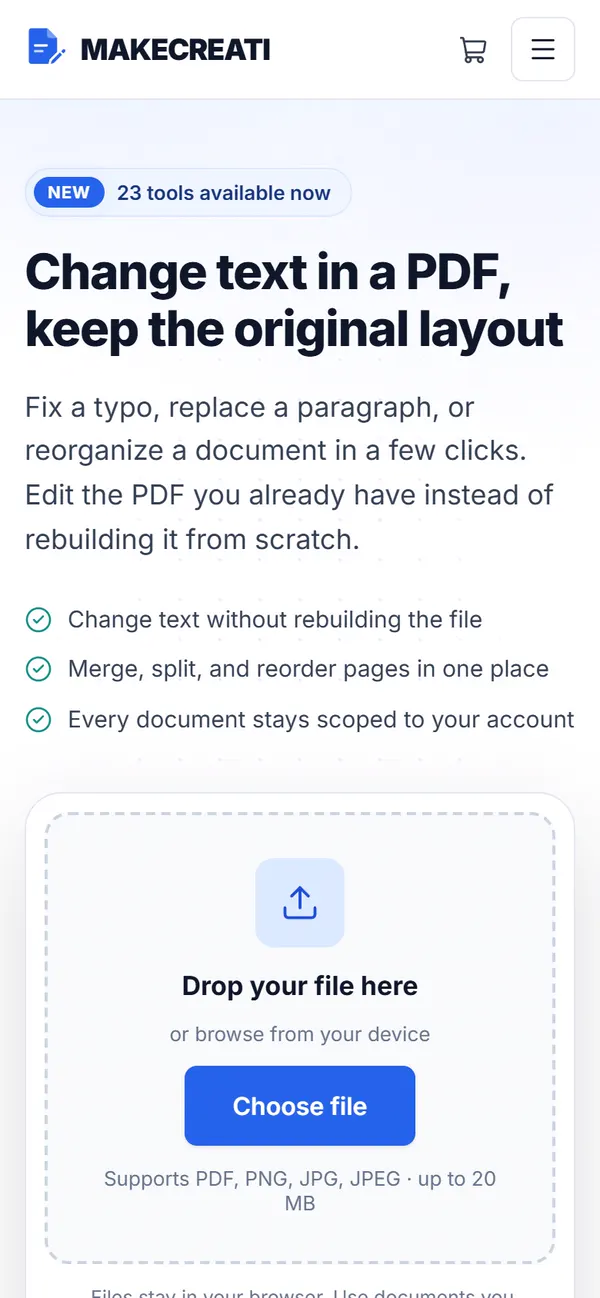
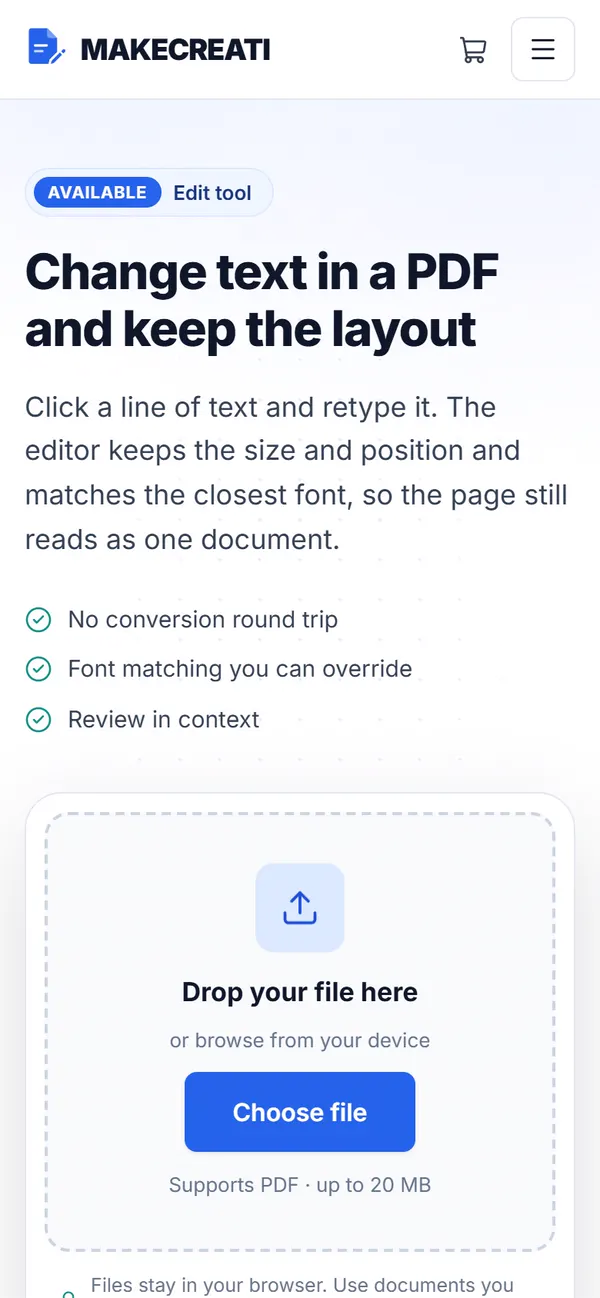
The same workspace on a phone.
A document arrives on a phone as often as on a desk. The upload panel, the tool list, and the price keep the same order on mobile, so nothing important slides below a fold that never ends.
Wireframes
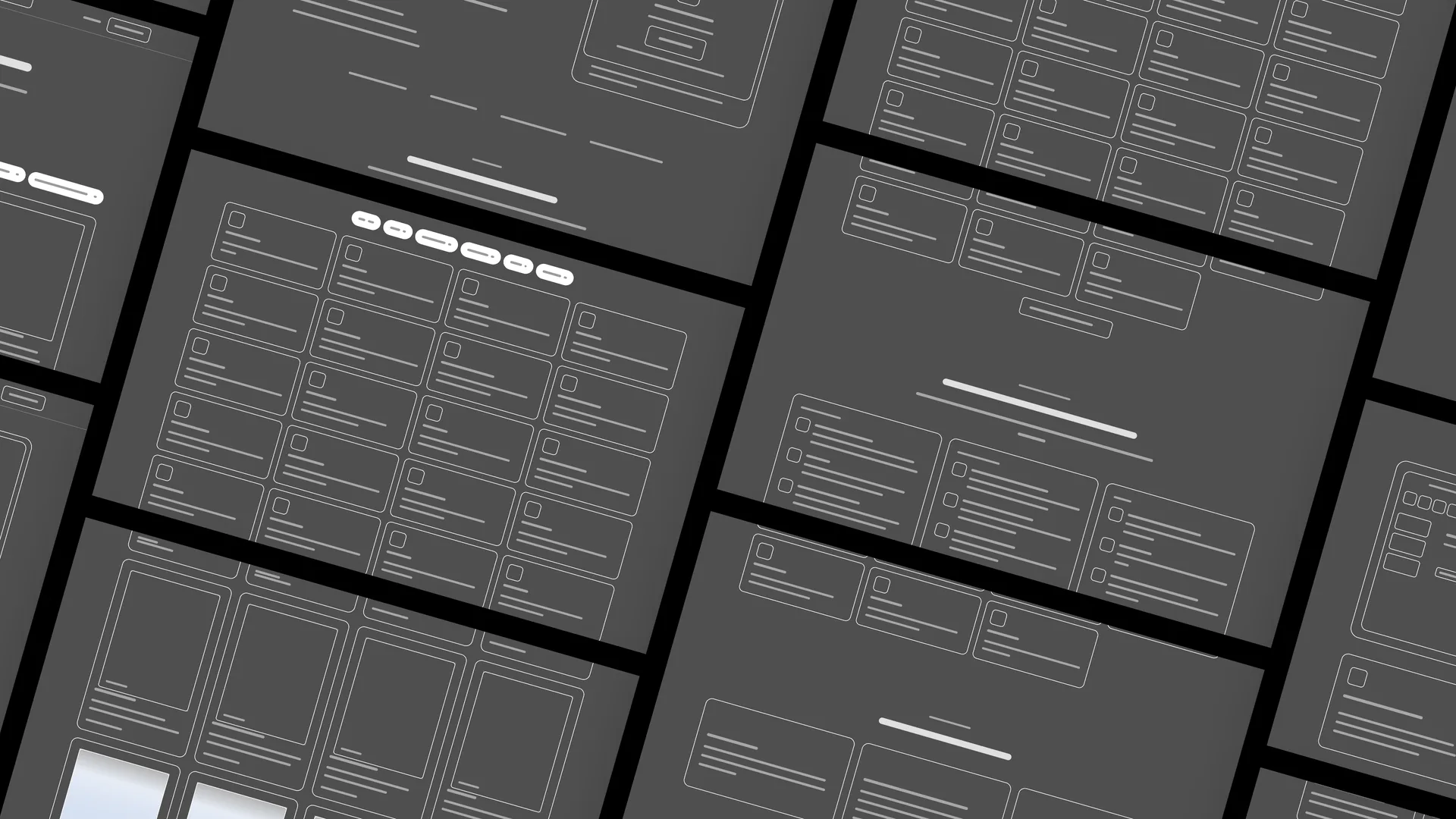
The structure underneath.
The same pages with the styling stripped away: one grid, one type scale, and the same set of components on every route.
Visual system.
A single working blue against near-black ink on white, one neutral sans across the whole product, and interface screenshots instead of stock desks. The restraint is the point: nothing on the page competes with the document.
Type · Inter, regular to bold
- #0F172A
- #2563EB
- #D3E0FB
- #475569
- #F8FAFC
Outcome.
Make Creati now runs on its own platform, with each tool documented on its own page and the price shown before a file is uploaded.
The catalogue grows one tool at a time: a new job gets a new page and a new line in the index, without redesigning the site around it.
How this one came together.
The four steps behind this build, and what each one had to settle.
Positioning and scope
I settled what the platform was for and which tools would carry it at launch, before any of it was built.
Platform rebuild
I moved the site off WordPress onto a Next.js application built around the editing workspace rather than around pages.
Page per tool
Every tool got its own route, its own plain-language promise, and its own place in a catalogue that can keep growing.
Launch and hosting
I shipped to production hosting and handed over a platform the owner can run and extend.